
Let’s say you need to align something to the center of a circle or arc or ellipse, or vice-versa, you need to align the center of a circle or arc or ellipse to something. When you are in the ALIGN tool and try mousing around the center, nothing shows up. You also cannot override your snaps to find it!
Calm down! It’s gonna be OK. Select that circle (or arc or ellipse) and check out its Properties. See that parameter? CENTER MARK VISIBLE.
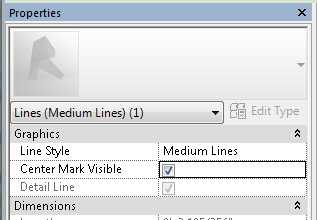
Turn that guy on, and then you can align to it!
 Design Tech Field Guide