

I’m that guy who has a lot of apps on my phone. “Oh, that might be neat,” I say to myself and I download an app. And then I don’t use it but I don’t uninstall it because I might use it. But then I don’t. But I still don’t uninstall it.
I’m not as bad with my Revit Add-ins, but I do have a lot. This is what my add-in bar looks like.

A lot of the get scrunched up at the end. Now, I look at these and there are a lot that I have only used once and will probably never use again, but I just can’t part with them (I’m looking a you, Revit DB Link).
To top it off, I do a lot of presentations and webinars now on the BIM Interoperability Tools and I really would love those to be front and center in my bar and not the fly-out when I have to talk about them. Luckily there is an easy fix to tell Revit how to get these reshuffled.
I took a look at one of the locations where my add-ins get installed, C:\ProgramData\Autodesk\Revit\Addins\2017 and saw if I could find a correlation between the add-ins and how they showed up in my bar. After one quick glance it looked like Revit just goes through the add-ins alphabetically and loads them up.
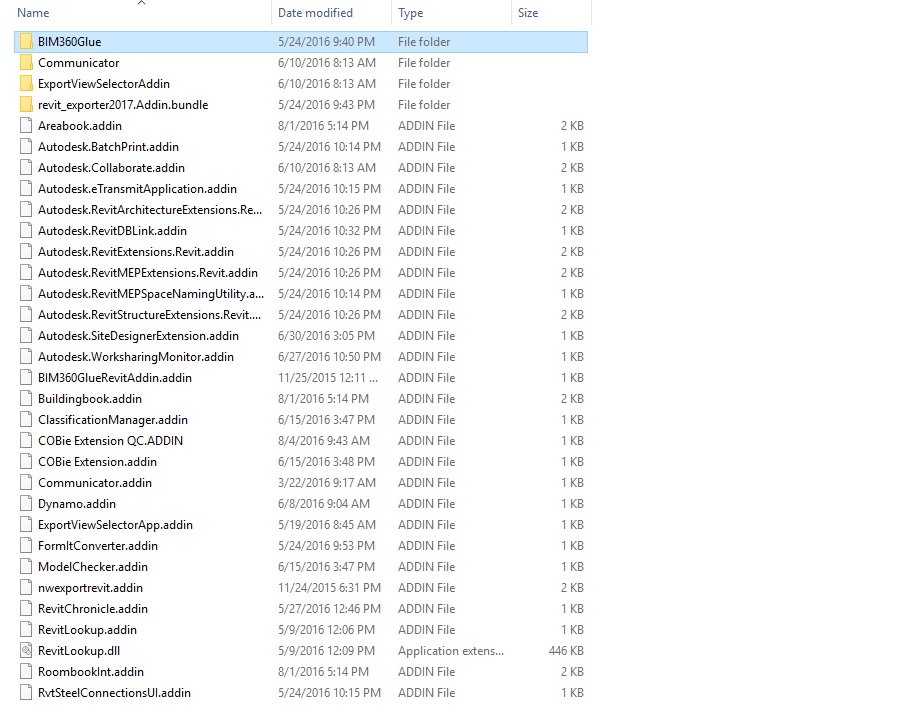
Well, figured I’d give it a shot. I did some renaming to move what I wanted first up the list and what I rarely used down the list. It ended up looking like this:
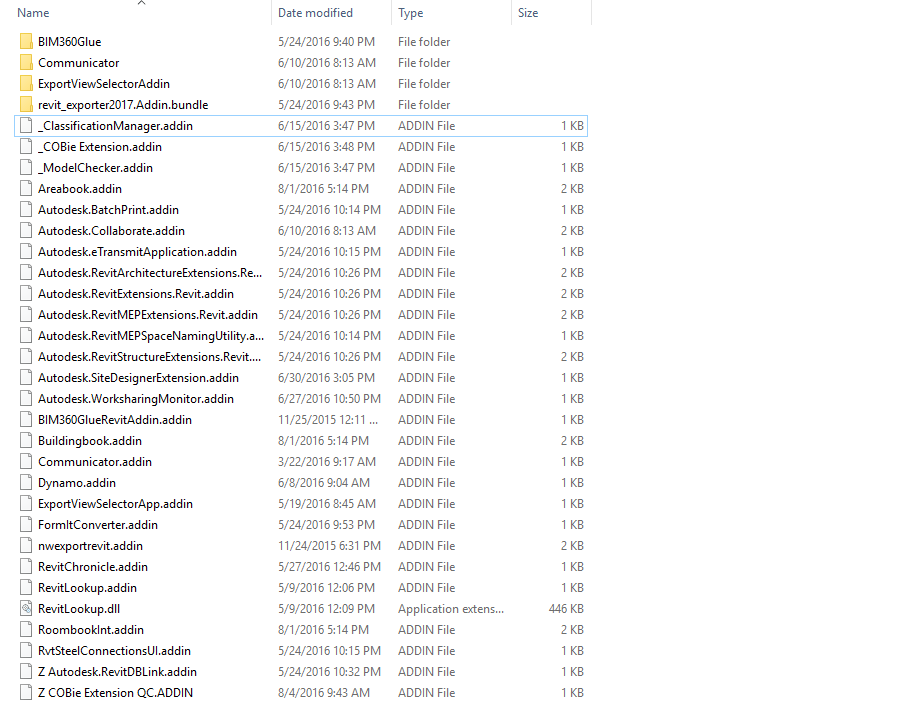
But would it work? I fired up Revit, and yup. My add-ins were reordered the way I wanted them to show up. A really easy work around to get my interface to be the way I wanted it to.

A couple notes: is this a hack? No. It’s a simple renaming of files, but it’s probably not officially supported. It shouldn’t mess anything up, except when I go to uninstall any of those add-ins, it might not be able to find the .addin file until I rename it back. Also remember that there are a couple places that Revit can put your .addin file, so you might need to do a little alphabetical juggling when you rename your .addin file. The two primary locations are:
C:\Users\<username>\AppData\Roaming\Autodesk\Revit\Addins\<year>
C:\ProgramData\Autodesk\Revit\Addins\<year>
So, if you need to move your buttons around, hopefully this little tweak will help you out.

