

One of the big reasons I started this blog back up and am peeling back from LinkedIn is the significant influx of AI content over there. It’s everywhere, and it’s frustrating.
So, for one of my first posts back I am gonna talk about what I did with AI!
We had a problem. Thousands of Revit families, and when they were upgraded to 2026, they lost their Classification Title. I knew that the OmniClass parameters evolved to Classification. Autodesk says it’s to add flexibility. Rumor has it there are other, more litigious reasons… allegedly.
We did a lot of Internet searching, and a bunch of testing, but it always pointed to the same thing: since these RFAs were upgraded with a generic Classification_Taxonomy file, the Classification Number was okay, but the Title was gone.
That’s not a fun thing to fix manually. Did I mention over 10,000 RFA files to check and who knows how many to update?
Obviously, automation was in order, and I had a pretty good idea about an add-in I could make to automate the process. But I’m not that strong a coder… more of a copy-paster…
Something that I have done over the years is pay close attention to what Carl Storms says and does. And I had recently read all his stuff about Vibe Coding.
So I decided to get my vibe on. With Claude. (No, you’re right. It sounded bad as I was typing it. I’ll never say that again.)
The whole add-in was developed with a chat. I described the problem in plain language, explained the steps that were needed to fix it, then Claude took a shot followed by some rounds of reviewing the generated code, testing it, refining it. No fully-formed spec up front. Just an iterative conversation that turned into working C#.
We ended up with a “DT Tools” tab added to the Revit ribbon. Two buttons. I of course made crappy icons.
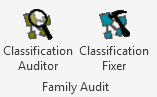
The first, cleverly named “Classification Auditor”, asks you to point it at a folder, recursively scans every RFA file in it, reads the Classification Number and Title parameters, and exports a CSV report. Read only. Just data. That part was intentional. Start with visibility before making any changes. The second button only came after we understood what we were dealing with.
The second button is the Classification Fixer. It targets the families with a Number but no Title. The fix feels a little extra steppy: clear the Classification Number, save, restore the number, save again. That second save triggers Revit to look up the Title from the updated taxonomy file on my laptop and auto-populate it. Feels like a workaround. Worked perfectly.
Working with Claude felt less like prompting a tool and more like pairing with a developer. It asked clarifying questions before writing code, it adapted how it approached a problem, and I adapted how I would present information. We had our hiccups: hallucinated API methods, some spots where I called Claude out on how Revit worked. But overall it took about an hour to build the working add-ins.
One hour.
It would have taken me over 2 days on my own. And Claude’s documentation and organization was INFINITELY better than I would have done.
We ran the Fixer across the library in batches. PowerShell scripts, also written with Claude, handled the cleanup afterward. Deleting Revit’s backup files, removing families that didn’t need fixing, clearing empty subfolders, mopping up leftover text files.
Final score: 4,225 families repaired. Zero failures. Zero warnings.
 Design Tech Field Guide