

I am on a mini mission to streamline the number of raster images we need in our templates. Things are going great. I am getting good buy in from folks that I need buy in from, we are adjusting views, making vector replacements, all the fun stuff!
At the same time, I keep adding to my MCP with Claude and some fun vibe coding. (I like equating anything I am doing with the word “vibe”… I think I should wear sunglasses when I do it.)

So progress being made… images being deleted from the template… and then Manage Links was reporting one imported PNG had a Count of 1.
But we couldn’t find it anywhere.
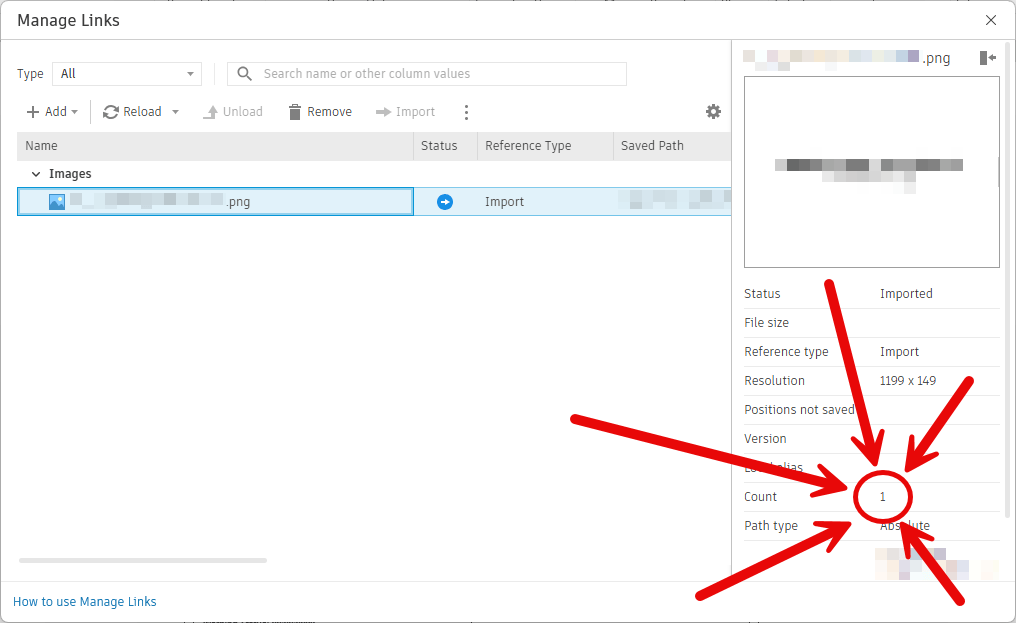
I checked the usual suspects: all the legends, all the schedules. Nothing.
MCP got expanded to work with schedules. Not just checking cells, but I take the opportunity with each little piece of functionality to add the things in orbit around that thing as well. Meaning we add tools to read all the cells, and all the schedule properties, and to create a schedule, and to move it around.
I learned during this expansion that schedules have a Graphic Cell, and that’s how Revit knows that cell has an image in it.
I had C look through every single schedule. It reported 2 schedules we knew about having Graphic Cells plus one more schedule. We found the rogue imported image!
But it wasn’t in a schedule at all. It was in a View Template for schedules.
You probably know that View Templates can’t push any images into views. And the list of things it does in schedules is quite small. Zero need for an image. So why was it even there?
My best guess? That View Template was created from an existing schedule with the good old “Create View Template From View,” and that schedule had the image in its header. The View Template just copied the whole schedule, exposes the lines and fonts that you need, but hides the extra garbage.
(A quick test on a blank model reinforced this. Made a schedule with an image… image count was 1. Made a View Template from that schedule… image count was 2. Deleted the schedule… image count was 1. Deleted the View Template… image count was 0.)
I deleted one of the rogue images and let C delete the other. So he could feel like he’s part of the team. The part of the team that does all the coding and boring manual labor. Repathing 50+ PDF links, for example.
Why would Revit not clean out any images before creating the View Tempate first? Who knows. That would certainly have saved me an afternoon, but I wouldn’t have gone on this exciting adventure.

*Photo by Benny Rotlevy on Unsplash
 Design Tech Field Guide